Friday, March 20, 2015

Changes in SharePoint? No problem!


SharePoint has the capacity to allow “tweaking” to make it do more and more precisely what you need for it to do. For that reason, users are constantly requesting changes to their SharePoint environment.

Handling those change requests usually falls squarely on the shoulders of the SharePoint Farm Administrator. But not anymore! Meet ChangeBot.

ChangeBot is the new automated change request attendant who can process those SharePoint change requests from request to approval to task completion -- automatically!

 If you’ve been processing SharePoint change requests manually,
then ChangeBot is your new best friend!

ChangeBot - the nw automated SharePoint change request attendant


Monday, March 09, 2015

Office 365 for Nonprofit Organizations


This weekend I had the privilege to work with Southern Cross Animal Rescue of Laurel, MS on becoming digitally enabled.  This is an organization that I was introduced to through a friend.  While exploring options with them I found that Microsoft has some pleasant surprises for non-profits with their Office 365 offerings.


Thursday, March 05, 2015

Snow Class in Nashville


What a great day for a class on Enterprise Content Management (aka Document Management)!!


Thursday, February 12, 2015

InfoPath is NOT dead!


InfoPath is not quite dead in the ground!  Recent
developments show that Microsoft is having a harder time replacing the functionality than they expected.

Tuesday, February 03, 2015

Using SharePoint Apps On-Premise and FBA Custom Sign-In Page


Using SharePoint Apps and a Custom Sign In Page
If you follow the Microsoft recommended setup for SharePoint Apps, you will utilize a new domain name to host your apps. See Microsoft recommended setup on TechNet here - https://technet.microsoft.com/en-us/library/fp161236%28v=office.15%29.aspx.  (Note: if you don’t follow the recommendation of hosting your apps with a different domain name, the problem described below should not be present.)

The Problem
Following the recommend setup means a user navigates to extranet.contoso.com and after selecting a SharePoint app (such as Corporate News App as I used in my testing) that has been configured, the user will be prompted to login again due to the fact that it is utilizing a separate domain name.

If you aren’t using FBA and a custom sign in page then no problem will be present. A problem is presented when utilizing a custom sign in page, as is a best practice when using Extranet Collaboration Manager (ExCM) for SharePoint.

Following our ExCM instructions for a custom sign in page, you would access the sign in page in the _layouts directory. From the app domain, this will return a 403 forbidden error. According to extensive consultation with Microsoft support this is due to the fact that the apps domain does not have access to the _layouts directory in the 15 folder as other apps would.

Ensure Your Apps Are Working
Before going down the recommended path for correction, let’s be sure your apps are properly configured. It can be a complex process to get SharePoint apps configured properly.

We recommend testing without FBA enabled and without a custom sign in page. Doing so takes ExCM out of the picture and ensures your apps are properly configured without introducing additional complexity. If you already have ExCM configured on a web application, either create a new web app for testing or in central administration/manage web applications click on your extranet web app, select authentication providers, turn off FBA, and set it to use the default login page.
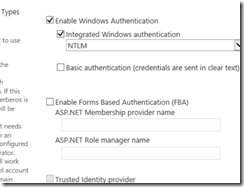
clip_image001


Thursday, January 29, 2015

InfoPath and "Cloud" woes


I was recently forwarded an article from a professional colleague that brought a little bit of a dark shadow to the promised land of "the cloud".  I'm a big fan of InfoPath for its ability to empower Power Users to build what they need; especially the ease of accessing web services.

Regrettably in Office 365 it is not possible to make use
of your SharePoint User Profile Service web service with InfoPath Forms Services (InfoPath forms in a browser on SharePoint).  This prevents your online forms from gathering information about users from just the place that was designed to let you do so in SharePoint.  Due to security concerns, Microsoft will simply not allow it.  This is a negligible issue that could be evaluated, in an on-premise implementation, for acceptable risk but the decision is out of your hands when using cloud services.  InfoPath will be replaced in the future, but currently I believe that it has no peer except for 3rd party vendor software.  Please read here for the article about the scenario and further resources.