Using SharePoint Apps and a Custom Sign In Page
If you follow the Microsoft recommended setup for SharePoint Apps, you will utilize a new domain name to host your apps. See Microsoft recommended setup on TechNet here -
https://technet.microsoft.com/en-us/library/fp161236%28v=office.15%29.aspx. (Note: if you don’t follow the recommendation of hosting your apps with a different domain name, the problem described below should not be present.)
The Problem
Following the recommend setup means a user navigates to extranet.contoso.com and after selecting a SharePoint app (such as Corporate News App as I used in my testing) that has been configured, the user will be prompted to login again due to the fact that it is utilizing a separate domain name.
If you aren’t using FBA and a custom sign in page then no problem will be present. A problem is presented when utilizing a custom sign in page, as is a best practice when using
Extranet Collaboration Manager (ExCM) for SharePoint.
Following our
ExCM instructions for a custom sign in page, you would access the sign in page in the _layouts directory. From the app domain, this will return a 403 forbidden error. According to extensive consultation with Microsoft support this is due to the fact that the apps domain does not have access to the _layouts directory in the 15 folder as other apps would.
Ensure Your Apps Are Working
Before going down the recommended path for correction, let’s be sure your apps are properly configured. It can be a complex process to get SharePoint apps configured properly.
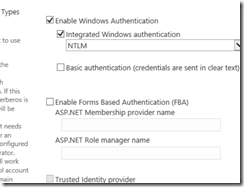
We recommend testing without FBA enabled and without a custom sign in page. Doing so takes ExCM out of the picture and ensures your apps are properly configured without introducing additional complexity. If you already have ExCM configured on a web application, either create a new web app for testing or in central administration/manage web applications click on your extranet web app, select authentication providers, turn off FBA, and set it to use the default login page.